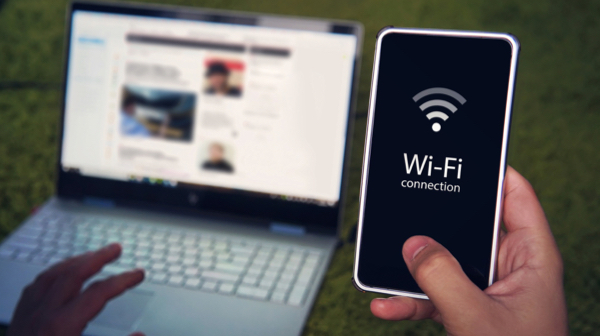
Switching to mobile phone internet for your home connection can be an appealing way to save money and simplify your setup. With the widespread availability of smartphones equipped with hotspot capabilities, many users wonder if it’s feasible to rely solely on their mobile device for all their internet needs. While this approach offers flexibility and convenience, it requires careful planning and understanding of data limits, coverage, and device capabilities. This guide explores how to effectively use your mobile phone for home internet, what plans to consider, and the best practices to optimize your connection.
—
Can a Mobile Hotspot Fully Replace Traditional Home Internet?
A mobile hotspot can serve as a substitute for fixed-line internet if your online activities are limited to light browsing, email checking, or occasional online shopping. For these tasks, a smartphone’s hotspot may suffice, especially if you select a plan with ample or unlimited data. However, activities like streaming high-definition videos, online gaming, or large file downloads demand significant bandwidth, which can quickly exhaust data allowances and lead to throttled speeds or unexpected charges.
Heavy internet usage, particularly involving multiple devices or data-intensive applications, often surpasses what mobile hotspots can reliably handle. In such cases, relying on your phone alone may result in frustrating slowdowns or additional costs. Therefore, for most households, especially those with multiple users or high data requirements, a traditional home internet connection remains the more stable and cost-effective solution. Nonetheless, a mobile hotspot can be a practical backup or temporary alternative when your primary service is unavailable.
—
Key Factors to Consider in a Mobile Hotspot Plan
When selecting a mobile plan for home internet use, the most critical aspect is hotspot data allowance. Not all unlimited plans truly provide unlimited high-speed hotspot access; many carriers impose caps or throttle speeds after a certain threshold.
Is Unlimited Hotspot Data Truly Unlimited?
Most major carriers limit the amount of high-speed data available for hotspot use, even if your basic plan offers unlimited data for general phone use. For instance, some providers like Mint Mobile include hotspot data within their overall data cap, which means heavy hotspot usage could deplete your monthly allowance quickly. Other providers, such as Visible, offer unlimited hotspot data but at reduced speeds—often capped at 10 Mbps—which might be insufficient for demanding tasks.
Certain carriers allow you to purchase additional hotspot data if needed, but these options can be costly. For example, T-Mobile offers extra data at around $10 per GB. It’s essential to evaluate your expected consumption carefully to avoid unexpected charges or reduced speeds.
Estimating Your Monthly Data Needs
To determine how much hotspot data you’ll require, review your typical internet usage patterns. Checking your current data consumption through your internet provider’s account portal can give you valuable insights. Many providers even break down usage by device and app, helping you understand your habits better. For instance, streaming in HD can consume several gigabytes per hour, while simple browsing uses far less.
For more detailed estimates, consult resources like this guide on data usage. If your data needs are modest, a plan with a few gigabytes of hotspot data may suffice; otherwise, consider plans with higher allowances or unlimited options.
—
Top Plans for Using Your Phone as a Home Internet Source
| Provider | Plan | Price | Hotspot Data | Notes |
|—|—|—|—|—|
| T-Mobile | Experience Beyond | $100.00/mo. | Unlimited | Excellent coverage and speed, but premium price |
| Verizon | Unlimited Ultimate | $90.00/mo. | 60GB | Reliable, with good nationwide coverage |
| AT&T | Unlimited Premium | $85.99/mo. | 60GB | Smaller network compared to others but affordable |
| Mint Mobile | 20GB Plan | $45.00/mo. | 20GB | Very budget-friendly, suitable for light users |
| Visible | + Pro | $45.00/mo. | Unlimited | No extra hotspot charges, but capped at 10 Mbps |
Coverage and network performance vary by location. T-Mobile generally leads in 5G coverage and speed, but it’s best to check coverage maps such as the FCC’s National Broadband Map for your area before choosing a provider.
—
How to Use Your Phone as a Hotspot (iPhone and Android)
Both iPhone and Android devices make hotspot activation straightforward, often included in your mobile plan at no additional cost.
Interesting:
- Unlock internet anywhere how to turn your phone into a mobile hotspot
- Mastering gaming on your smart tv a complete guide
- Installing steam games on an external hard drive a complete guide
- Mastering gaming on your smart tv a comprehensive guide
- Enabling steam overlay for non steam games a complete guide
Setting Up a Hotspot on iPhone
- Navigate to Settings > Cellular > Personal Hotspot.
- Enable Allow Others to Join.
- Tap Wi-Fi Password to create a secure network password.
- On your laptop or other device, select your iPhone’s network and enter the password when prompted.
Setting Up a Hotspot on Android Devices
- Open Settings > Network & internet > Hotspot & tethering.
- Tap Wi-Fi hotspot and configure your network name and password.
- Toggle the hotspot on to begin sharing your connection.
- Connect your other device by selecting your Android’s network and entering the password.
Note: Due to variations in Android manufacturers, steps may differ slightly—consult your device’s manual for precise instructions. You can also find detailed setup guides at this resource.
—
Phone Hotspot vs. Dedicated Hotspot Devices
While smartphones are convenient for temporary internet access, they are not optimized for long-term or heavy-duty use. Using your phone as a primary internet source can rapidly drain its battery and reduce its lifespan. Additionally, hotspot plans included with phones often have limited data caps that may not suffice for full-time household use.
Dedicated mobile hotspot devices, often called MiFi, are designed specifically for reliable internet sharing. They can support multiple devices simultaneously, provide stronger Wi-Fi signals, and typically come with plans offering higher or unlimited data options. Although these devices and plans involve additional costs, they deliver more consistent performance and are easier on your phone’s battery life.
Both options can deliver 5G speeds, but actual performance depends on your carrier and location. For temporary or travel use, smartphones are practical; for consistent, high-demand home internet, dedicated hotspots tend to be more reliable. Consider pairing them with a cell phone booster for improved signal strength.
Learn more about choosing the right hotspot device in our comprehensive hotspot guide.
—
Alternatives to Mobile Hotspots for Home Internet
If reliable, high-speed internet is essential for your household, consider other options besides using your phone:
- Satellite Internet: Ideal for rural locations where wired options are unavailable. While slower and with higher latency than wired connections, satellite internet provides coverage nearly anywhere in the U.S. and can be the only choice in remote areas. Discover the best satellite providers here.
- 5G Fixed Wireless Internet: Utilizes the same networks as mobile carriers but is optimized for home use. These plans often include unlimited data and priority bandwidth, offering faster, more stable connections compared to mobile hotspots. Explore top 5G home internet options to find what’s available in your area.
—
Finding the Best Internet Solution for Your Needs
Before fully committing to smartphone hotspot use, evaluate your actual needs. For occasional browsing or light work, your phone might suffice. For regular, heavy internet activity, a dedicated home internet plan is preferable. Use tools like the internet search portal to compare available providers in your area.
While mobile hotspots can be a handy backup or temporary solution, most households will benefit from a stable, dedicated internet connection for daily use. Balancing cost, speed, and reliability will help you make the best choice.
—
Methodology
Our assessments are based on comprehensive research, including customer feedback, performance tests using our speed tools, and detailed analysis of provider plans and pricing. We aim to present clear, unbiased information to help you make informed decisions about your internet options. Our expertise in satellite and mobile internet enables us to guide you toward the most suitable solutions for your household.
—
Mobile Phone for Home Internet FAQ
What exactly is a mobile hotspot?
A mobile hotspot, or personal hotspot, is a feature built into smartphones that allows sharing your cellular data connection with other devices via Wi-Fi. Essentially, your phone acts like a portable router, enabling laptops, tablets, and other Wi-Fi-enabled devices to access the internet using your mobile plan’s data.
Are mobile hotspots secure networks?
Yes. Since the connection is through your phone’s cellular network, it’s protected by encryption and requires a password you set up, making it safer than public Wi-Fi. This provides a more secure environment for transmitting sensitive information like business documents, especially when working remotely from places like hotels.
Can I create a hotspot with my cell phone?
Most plans support hotspot functionality, but some may require an extra feature or fee. To verify, go to your device’s settings and look for options like Personal Hotspot or Tethering. If these options are missing or greyed out, contact your carrier or review your plan details online.
How do I share internet from my phone with a laptop?
Follow the setup instructions for your device—either iPhone or Android—above. After configuring the hotspot with a secure password, connect your laptop or tablet by selecting your device’s network name and entering the password. Remember to disconnect when finished to conserve data.
Can I stream services like Netflix or TikTok on my hotspot?
Yes, but be mindful of data consumption. Streaming videos in HD can use several gigabytes per hour, so excessive streaming could quickly exhaust your data plan and result in throttled speeds or extra charges. Use lower quality settings if you want to conserve data during streaming sessions.
—
Leverage the right tools and plans to ensure your mobile device can serve as an effective home internet source. With careful planning and understanding of your needs, your smartphone can provide a flexible, cost-effective internet solution—whether for backup, travel, or light daily use.