


Ensuring your computer can run a specific game on Steam is a crucial step before making a purchase or installation. With a wide variety of titles available—from classic, low-demand games to the latest AAA releases—each has its own set of hardware and software requirements. Knowing how to check if your system aligns with these specifications can save you time, money, and frustration. This guide will walk you through the process of verifying whether your PC is ready to handle your favorite Steam games, and offer tips on upgrading your hardware if necessary.
Steam provides clear indicators of what your system needs to run a game smoothly. By reviewing these requirements and comparing them to your own hardware configuration, you can determine whether your setup is sufficient. Whether you’re a casual player or an enthusiast aiming for the highest graphics settings, understanding these requirements is essential for an optimal gaming experience. Additionally, exploring the broader context of gaming culture and the evolving role of hardware can help you make informed decisions when building or upgrading your gaming rig.
How to Access System Requirements for a Steam Game
To verify if your computer can handle a specific Steam game, start by visiting the game’s official page. You can do this either through the Steam website or directly via the Steam client installed on your PC. The Steam client essentially loads the same information as the website, providing a seamless experience whether you prefer browsing online or through the application.
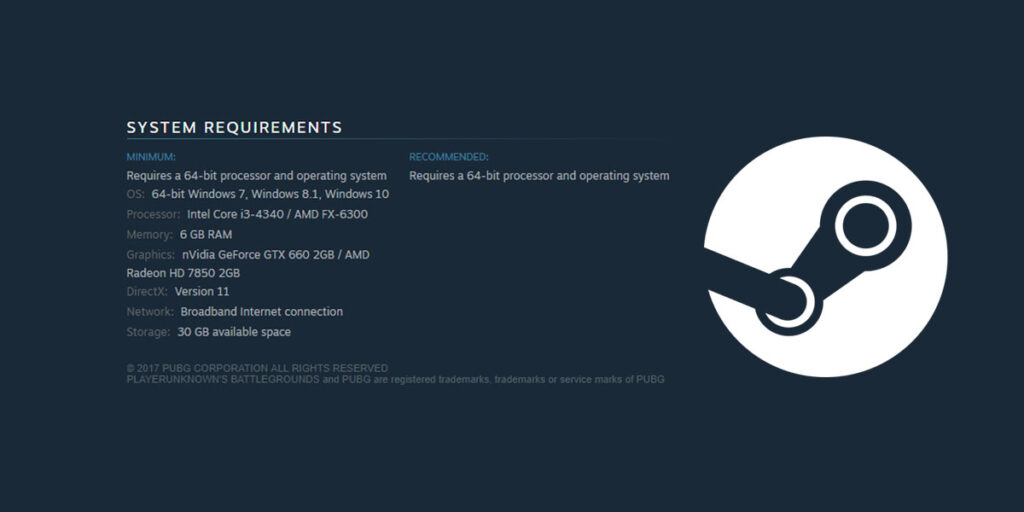
Once on the game page, scroll down past the description, user reviews, and other details until you find a dedicated section labeled ‘System Requirements’. This section is typically divided into two parts: the Minimum Requirements and the Recommended Requirements. The minimum specifications detail the essential hardware and software needed to run the game, while the recommended specifications suggest the ideal setup for an enhanced gaming experience.
The minimum hardware requirements usually include your processor type and speed, graphics card model, amount of RAM, and available storage space. The recommended section will provide suggestions for hardware that can deliver better performance or higher visual settings, often based on developer insights or community feedback. For a more comprehensive overview, some games also include additional recommendations for peripherals or specific software configurations.
Comparing Your Hardware to Steam’s Minimum System Requirements
After noting the game’s minimum specifications, evaluate your system’s hardware to see if it matches or exceeds these standards. Open your system information panel or use dedicated tools to gather details about your processor, GPU, RAM, and storage. Common tools include the built-in System Information utility on Windows or third-party applications like CPU-Z or GPU-Z, which can provide detailed hardware profiles.
If your components meet or surpass the listed minimum requirements, you should be able to run the game with acceptable performance. However, for a better experience—such as higher frame rates or improved graphics—you might want to consider hardware that aligns more closely with the recommended specifications. Doing so ensures smoother gameplay and more visually appealing graphics, especially for demanding titles.
For example, if the game requires a GTX 970 or equivalent graphics card, but your current GPU is a GTX 960, upgrading could significantly improve your experience. Likewise, increasing your RAM from 8GB to 16GB can help with multitasking and overall game performance. Remember, no game restricts you to only certain brands or models; it simply states the minimum hardware needed. Anything above that generally results in a better gaming experience.
Planning Hardware Upgrades for Optimal Gaming Performance
To achieve the best possible gameplay settings, extensive research into hardware recommendations is advisable. Developers and experienced gamers often share insights on forums, blogs, and tech review sites about what hardware components are best suited for specific titles at various settings. These resources can provide guidance on building or upgrading a gaming PC that can handle current and upcoming titles at high or ultra settings.
If you are considering a major upgrade or building a new gaming system, think about the types of games you want to play most frequently. Focus on components like the graphics card, processor, and RAM, which have the most significant impact on gaming performance. Building a system that exceeds the minimum requirements ensures longevity, allowing you to enjoy new releases without immediate upgrades.
For those interested in exploring how gaming hardware is evolving and influencing the industry, it’s helpful to understand the current trends and what skills are in demand. Learn more about the modern culture of game development and the skills needed to succeed in the industry by exploring industry culture and what a game developer looks like today. Additionally, if you’re thinking about working remotely in game development, check out tips on starting a career in this field at remote work opportunities for aspiring game developers.
Finally, for those aiming to excel in game design or development, understanding how to identify influences from Western developers can be valuable. Discover insights on cultural patterns in gaming through cultural analysis of Western game development. This knowledge can help you better appreciate the design philosophies and industry trends shaping the games you love.
Final Tips for Ensuring Your System Is Ready
Having a good hardware setup is essential for enjoying games without interruptions or performance issues. While no game strictly restricts you to specific GPU brands or models, it’s important to meet at least the minimum requirements to avoid frustration. A system that surpasses these specifications will typically allow you to play most modern titles at high or ultra settings.
If you’re planning to build or upgrade your gaming PC, prioritize components that will future-proof your setup. Consider the types of games you want to play, their recommended requirements, and your budget. A balanced system with a powerful GPU, sufficient RAM, and a fast processor will serve you well across many titles, extending the lifespan of your investment.
For casual or hobbyist players, meeting the general requirements of popular games is usually enough to enjoy a good gaming experience for several years. Staying informed about hardware trends and industry developments ensures you are making the best choices for your gaming journey.
Start checking your system specifications today and make adjustments as needed to enjoy seamless gaming adventures on Steam.